

Audit Programs
An Audit Program groups related audits together — for example all audits planned for a fiscal year, a themed audit series, or all supplier audits for a specific category. It provides a planning envelope with a shared time horizon.
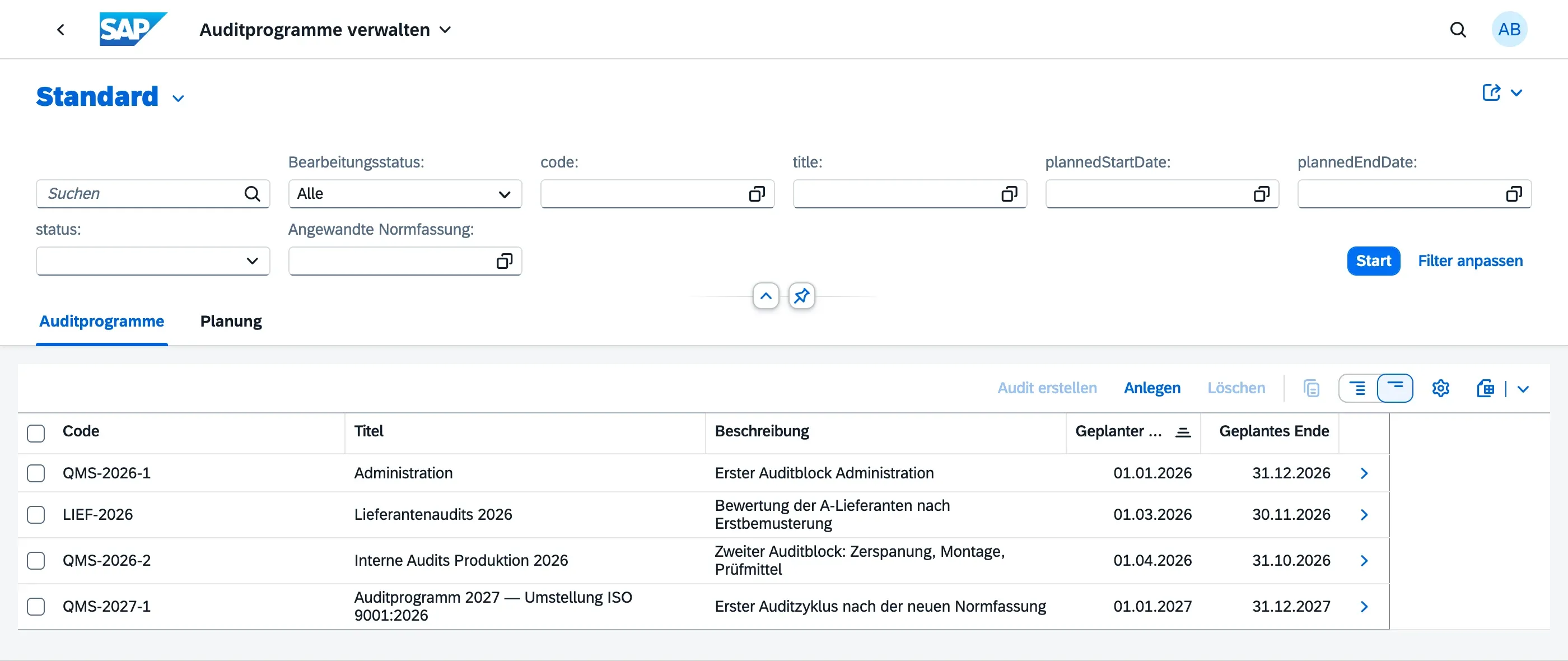
Creating an Audit Program
Section titled “Creating an Audit Program”- Navigate to Audit Programs (Auditprogramme) in the Launchpad
- Choose Create (Anlegen)
- Provide:
- Title — e.g. “Annual Internal Audit Program 2026”
- Code — short identifier for the program
- Description — optional free-text description
- Planned Start / End Date — the overall planning horizon
- Applied Norm Standard — the norm standard the program is planned against; audits created inside the program inherit it as their default
- Risks and Resources — optional notes on risks to the program itself and the resources needed to run it (see Scope & Resources)
- Optionally assign the organisational units covered by this program in the Scope Org Units (Geltungsbereiche) tab
- Save as Draft
Adding Audits to a Program
Section titled “Adding Audits to a Program”Within an Audit Program:
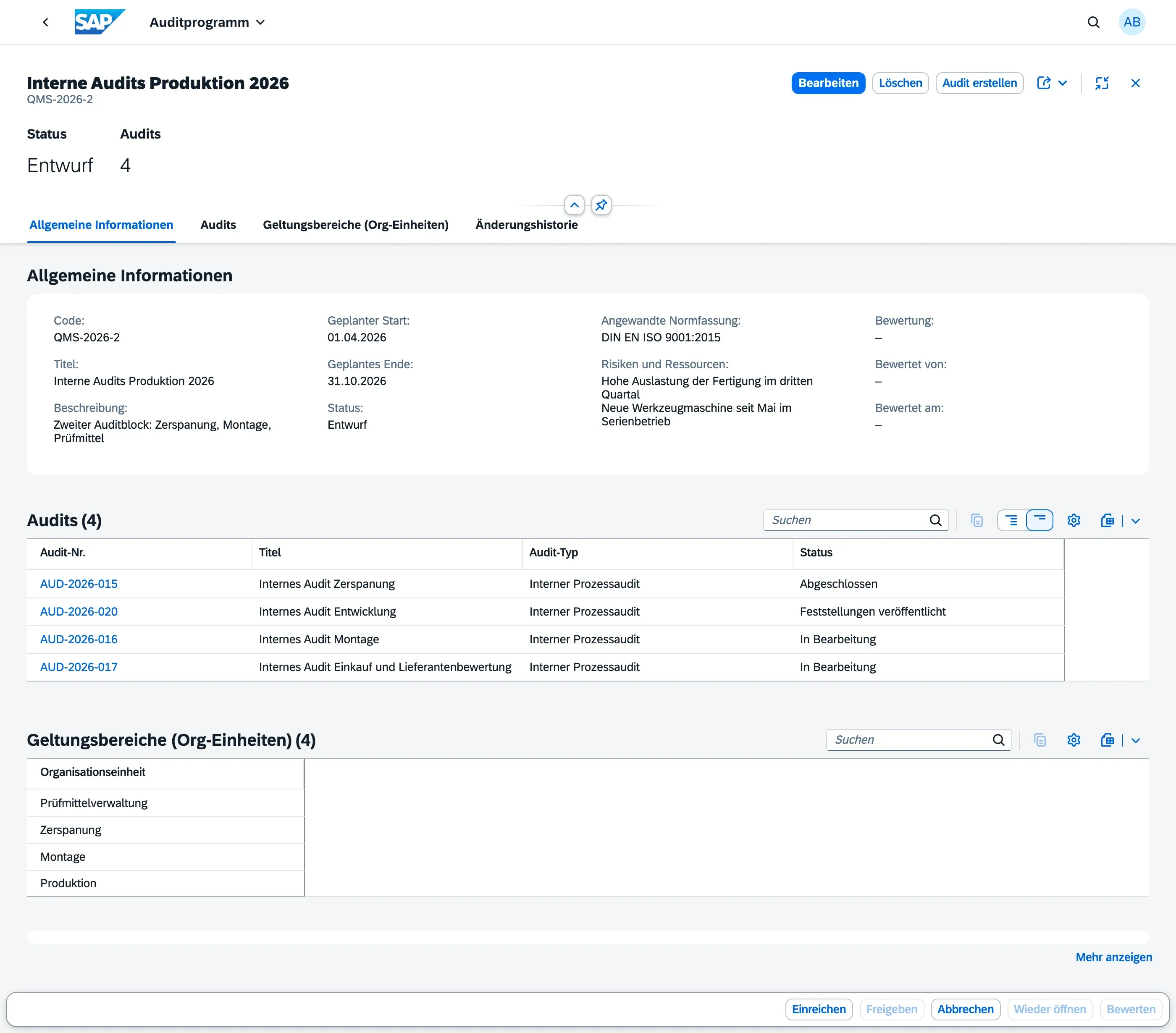
- Use the Create Audit (Audit erstellen) action to create a new audit directly within the program
- Audits created this way are automatically linked to the program
All audits in a program are visible in the Audits tab of the program object page.
When to Use Programs vs. Individual Audits
Section titled “When to Use Programs vs. Individual Audits”| Use Case | Recommendation |
|---|---|
| One-off audit | Create a standalone Audit |
| Recurring or themed audit series | Create an Audit Program and add audits inside |
| Annual audit plan | One Audit Program per year with audits added as they are planned |
- Completing a program does not automatically complete its child audits — manage each audit’s lifecycle independently
- Use the program’s Change History to track all modifications with timestamp and user
Next Steps
Section titled “Next Steps”- Program Lifecycle — the status flow, its allowed transitions and who may trigger them
- Scope & Resources — which organisational units a program covers and what puts its execution at risk
- Evaluating a Program — the retrospective once all audits have run their course