
Skip to content

Master Data

Master Data contains the reference values that all other modules use — audit types, rating schemes, org units, finding categories, and more. This data is maintained by users with the Master Data Admin role.
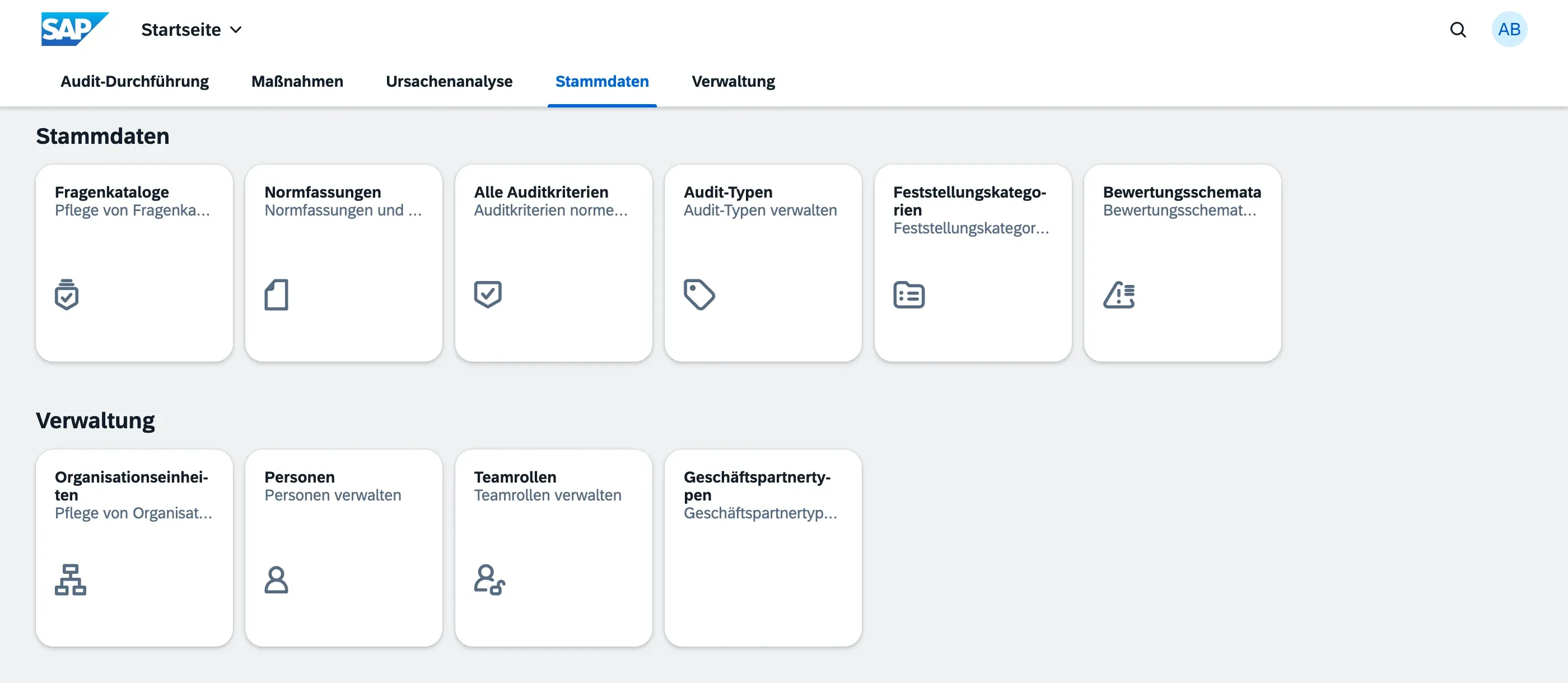
Organisational units represent the structure of your organisation — departments, divisions, locations, production lines, etc. Org units are hierarchical: each unit can have a parent, allowing you to model tree structures (e.g. Company → Region → Plant → Department).

Each org unit can also have Locations (physical sites, addresses) assigned to it.

Audits require an org unit to define what part of the organisation is being audited.

The Persons master data links platform users to their identity within qportal. Each person record holds name, email, and optionally a user ID that connects them to the identity provider (needed for the My Actions personal worklist).

When assigning team members to an audit or a responsible person to a finding or action item, you select from the Persons list.

Categories that classify audits — e.g. Internal Audit, Supplier Audit, Customer Audit, Process Audit. Audit types are also linked to Question Catalogs to ensure the right checklist is used for the right kind of audit.

A Rating Scheme defines the set of rating options available when auditors answer questions during fieldwork. Each scheme has:

Field Description
Name Descriptive label (e.g. “ISO 9001 Standard Ratings”)
Code Short identifier
Options List of rating options (e.g. Fulfilled, Partially Fulfilled, Not Fulfilled)

Each option has:

  • Label — display text shown to auditors
  • Score — optional numeric value for scoring/aggregation
  • Is Conform — whether this rating counts as meeting the requirement

Rating schemes are assigned to Question Catalogs. All audits using a given catalog share the same rating options.

A secondary classification layer for findings — e.g. Documentation, Process, Infrastructure, Competence. Configured independently of severity (severity is always the ISO 9001 four-level scale).

Custom lifecycle labels for findings within your organisation’s process. Examples: Open, Under Review, Accepted, Closed. These are organisation-specific and do not affect the automated audit lifecycle.

Priority levels for action items — e.g. High, Medium, Low. Each priority can have a numeric weight for sorting and reporting.

Roles assignable to audit team members — e.g. Lead Auditor, Auditor, Auditee, Observer. The role indicates the person’s function within the audit team.

Categories for business partners involved in audits — e.g. Supplier, Customer, External Auditor. Used when an audit involves an external party (e.g. supplier audit).

Only users with the Master Data Admin role can create or edit master data. All other users can view but not change these values.

Changing master data values (e.g. renaming a rating option or audit type) affects all existing records that reference that value. To preserve historical data integrity:

  • Archive or deactivate values that are no longer in use rather than deleting them
  • Each master data entity has an Active flag — inactive records are hidden from selection lists but retained in the database
  • Deleting master data that is still referenced in audits or findings will be rejected by the system